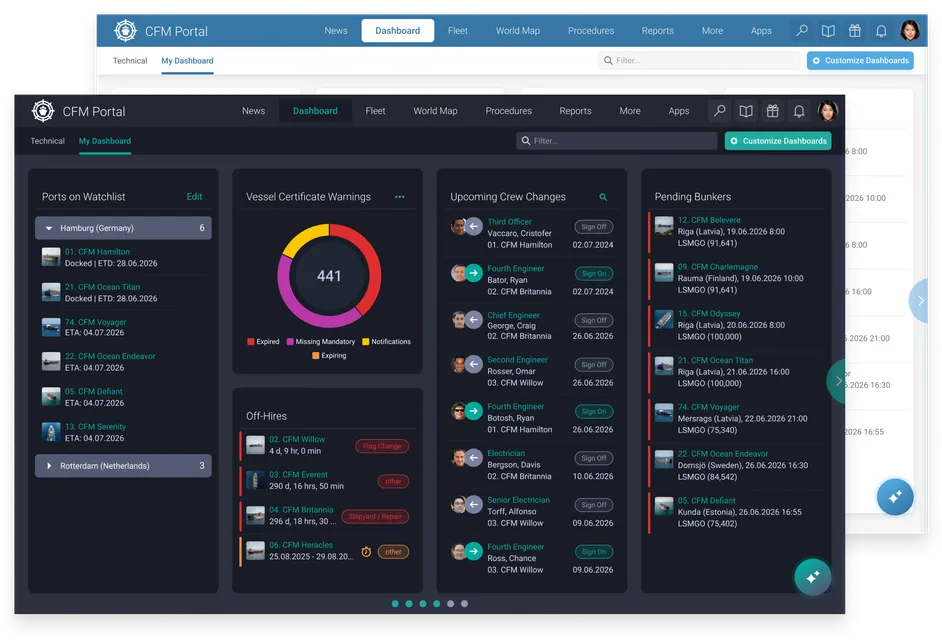
The updated Portal brings together a modern interface, powerful AI capabilities, flexible dashboards and enhanced map views in the central starting point of CFM. Users can find guidance faster, access relevant fleet information more easily and shape their workspace around the way they work. This is more than just a new look. It is a smarter way to work with Cloud Fleet Manager.
Rebuilt for a faster, clearer experience
CFM Portal has always been the starting point for working with Cloud Fleet Manager. It brings relevant information together and helps users stay on top of what needs their attention across vessels, departments and daily workflows. The updated Portal builds on this central role with a modernised experience designed around speed, clarity and ease of use. A modernised interface, clearer layout and improved navigation make it easier for users move from overview to action, whether they are checking upcoming crew changes, monitoring certificates, reviewing vessel schedules or following up on operational tasks. With less time spent searching and navigating, users can focus more quickly on the work that requires their attention.
AI built into the heart of the Portal
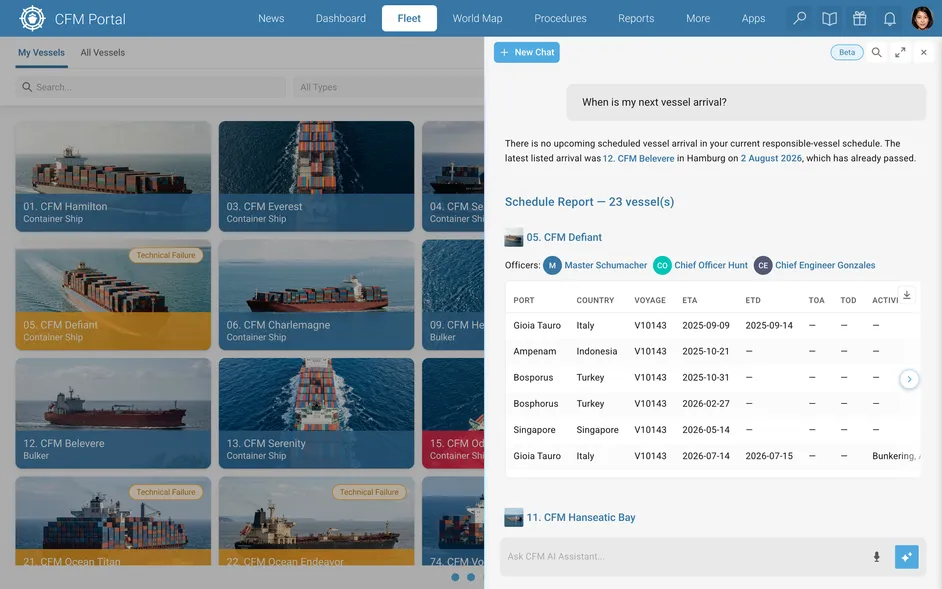
One of the biggest steps forward in the updated Portal is the introduction of AI-powered assistance directly inside the CFM workspace. With the new Portal, AI becomes part of the everyday CFM experience, helping users move faster from question to answer, from guidance to action and from operational data to better decisions.
Two new AI capabilities make this possible: the AI Assistant helps users retrieve information from the CFM data they are authorised to access, while AI Manual Search makes it easier to find answers to questions about CFM features or workflows covered in the manuals. Need to check fleet information? Ask. Need to understand what requires attention? Ask. Need to find the right guidance in the manuals? Ask. No complex search. No unnecessary navigation. Just a smarter way to get to the information users need.
A smarter way to access operational data
The new AI Assistant gives users a more intuitive way to access operational information from CFM. Users can ask questions in plain language and receive answers based on the information available to them within the Portal. For example, they can ask about vessel schedules, upcoming port calls, crew lists, pending crew changes, certificates that require attention or other relevant information connected to their role and responsibilities.This creates a more natural way for users to work with operational data. Instead of navigating through the system to find a specific answer, they can ask the AI Assistant and get straight to the information they need. Just as importantly, the AI Assistant respects existing access rights and permissions. It only works with data already available to the user, supporting faster information retrieval without changing established permissions or responsibilities.For fleet teams, the benefit is practical and immediate: less manual searching, faster access to relevant information and more time to act on what needs attention
Find CFM guidance faster with AI Manual Search
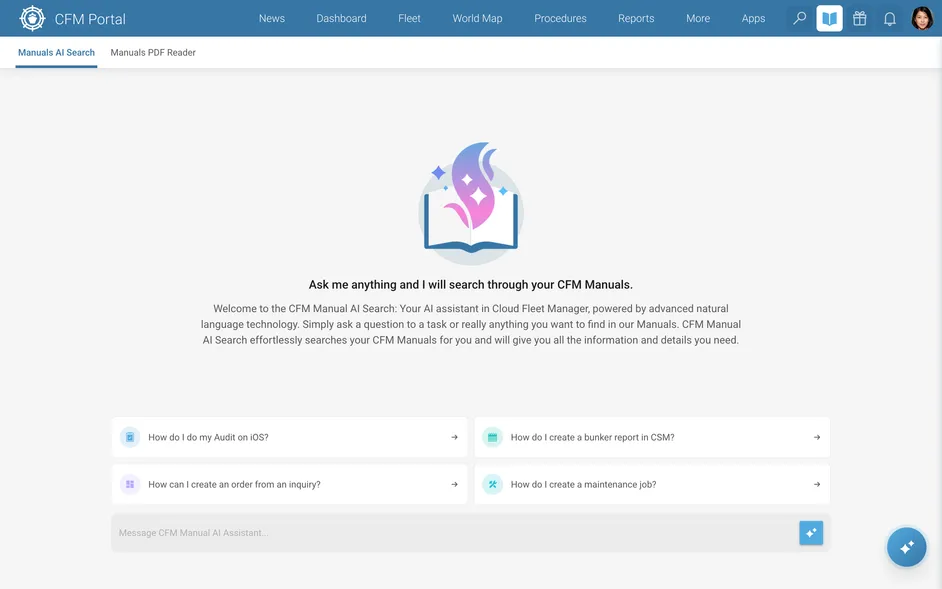
The updated Portal also introduces AI Manual Search, a new way to access information from CFM manuals. All CFM manuals are directly available inside the Portal, so users can find guidance without leaving their daily workspace. With AI Manual Search, they can ask questions in plain language instead of searching through documentation manually. Whether they want to understand a workflow, check how to complete a task or find details about a specific feature, AI Manual Search looks through the relevant manual content and provides an answer with a cited source. This makes CFM knowledge easier to access across the organisation: new users can get up to speed faster, experienced users can quickly confirm specific details and teams can reduce time spent searching through documentation. By bringing manuals into the daily workspace and enhancing them with AI-powered search, CFM guidance becomes easier to find, verify and apply.
A Portal shaped around the way users work
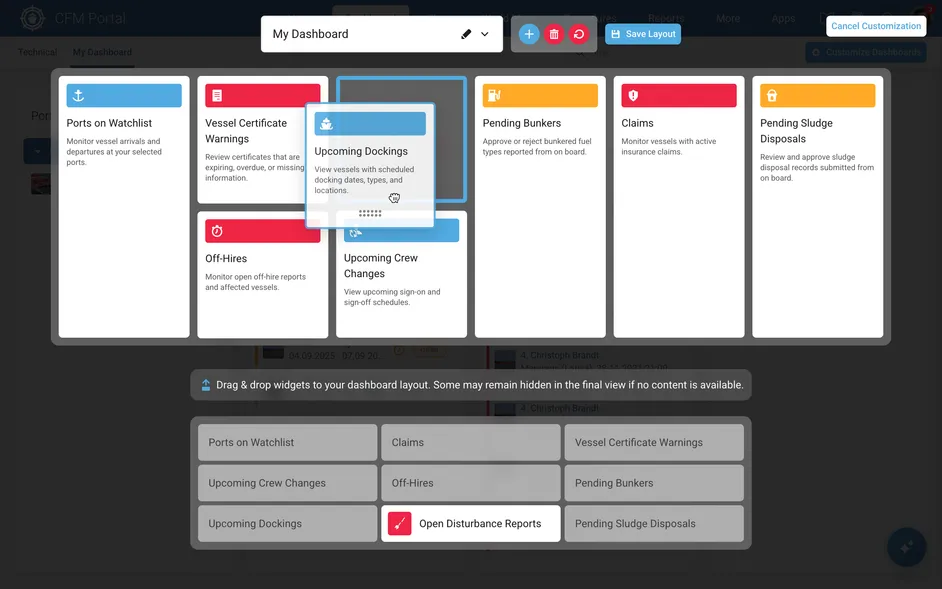
Every user works differently. The updated Portal reflects that. The redesigned experience gives users more control over how they organise their CFM workspace, allowing them to customise dashboards around their responsibilities, priorities and daily workflows. Users can bring the information they need most often into their own view and keep important updates, tasks and operational details visible from the start.
Layouts can also be shared with specific users, teams or departments, making it easier to create consistent views and align around common priorities.With intuitive drag-and-drop customisation, the central CFM workspace becomes more personal, more flexible and easier to work from.
Smarter maps for better fleet visibility
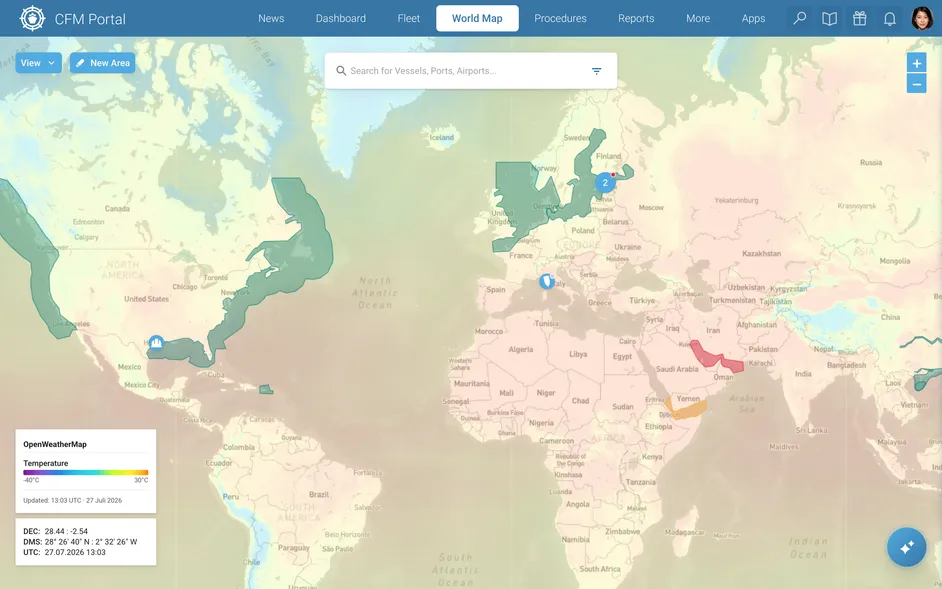
CFM World Map is also being enhanced with new weather layers, giving users more context when viewing their fleet. With new real-time weather layers, users can display information such as radar, clouds, wind, ocean currents, pressure and temperature directly on the map. This helps teams understand current conditions more easily and build a richer picture of what is happening around their vessels. By combining fleet positions, operational information and weather context in one visual workspace, CFM World Map becomes an even more powerful way to maintain a clear overview of fleet activity and surrounding conditions.
Make CFM your own
The new Portal also gives users more freedom to customise the look and feel of their CFM workspace. Users can choose from several colour modes, including dark mode, to match their personal preference or working environment.